Image Colour Transfer logo

Best Image Colour Transfer Alternatives ranked by AI · updated Aug 2026

βœ… Update queued β€” the AI is re-ranking this list. The page will refresh shortly.

This page is already up to date.

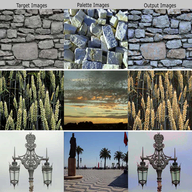
Image Colour Transfer is a browser-based tool for transferring the color appearance of one image to another. It is aimed at photographers, designers, and other users who need a quick color-matching workflow without installing desktop software.

Developer: Image Colour Transfer Price: Free 🎯 dustfreesolutions.com/CT/CT.html

Top 6 Image Colour Transfer alternatives

1

Photoshop

Adobe

πŸ’‘ Pick it for precise, production-ready color matching with layers, masks, and professional retouching tools.

Photoshop is a professional raster image editor for photographers, designers, illustrators, and digital artists. It provides advanced layers, masking, retouching, compositing, typography,...

Pros

  • Industry-standard file format and workflow compatibility
  • More advanced retouching, compositing, and masking than most alternatives
  • Extensive plugin, brush, and template ecosystem

Cons

  • Requires a recurring subscription rather than a perpetual license
  • Steeper learning curve than Photopea or Canva
  • Some features require an internet connection or Adobe account
2 GIMP logo

πŸ’‘ Pick it if you want a free, private desktop alternative with advanced editing and plugin support.

GIMP is a free and open-source raster graphics editor used for image editing, retouching, drawing, and more.

4

Color.io

Color.io

πŸ’‘ Pick it when the main goal is repeatable color grading, palette matching, and LUT-based workflows.

Color.io is a color-grading platform for photographers and creators working with images and LUTs. Its palette and grading tools are designed for...

Pros

  • More specialized for color grading than the original
  • Provides advanced palette, tone, and LUT workflows
  • Useful for building repeatable looks across image sets

Cons

  • Less suitable for general retouching than Photoshop or GIMP
  • Paid features may be needed for advanced workflows
  • Requires more color-grading knowledge than the original
5

3D LUT Creator

3D LUT Creator

πŸ’‘ Pick it for professional palette analysis and reusable LUTs rather than one-off color transfers.

3D LUT Creator is a desktop color-grading application for photographers, retouchers, and filmmakers. It provides specialized tools for analyzing color relationships, creating...

Pros

  • More powerful color-relationship controls than the original
  • Creates reusable LUTs for batch and cross-application workflows
  • Designed specifically for professional color grading

Cons

  • Costs more than the original
  • Steeper learning curve for non-specialists
  • Less capable as a general image editor

One-time purchase; pricing varies by edition

πŸ’‘ Pick it for advanced, non-destructive grading or when still-image work is part of a video project.

DaVinci Resolve is a professional video editing software with advanced color correction and audio post-production capabilities.

Pros

  • Professional-grade editing tools
  • Powerful color correction features

Cons

  • High system requirements
  • Steep learning curve

Free version available, paid plans starting at $299

How good are these alternatives?

Your feedback helps us improve the AI rankings.

βœ… Thanks for your feedback!

Know a better alternative? πŸ™Œ

Suggest a product and our AI will verify it's a real alternative to Image Colour Transfer before adding it to the list.

People also compare