๐Ÿ”Ž
ailternative

Best Interactive Vim Tutorial Alternatives ranked by AI · updated May 2025

โœ… Update queued โ€” the AI is re-ranking this list. The page will refresh shortly.

This page is already up to date.

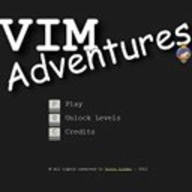
An interactive Vim tutorial that covers basic and advanced features with exercises.

Price: Free

Top 6 Interactive Vim Tutorial alternatives

2 VimMotion logo

VimMotion

VimMotion

VimMotion is a browser-based practice tool for learning Vim motions through interactive exercises. It targets beginners and intermediate Vim or Neovim users...

Pros

  • Focused specifically on Vim motion practice
  • Runs in a browser without installing Vim
  • Provides more interactive feedback than reading a reference

Cons

  • Narrower coverage than full Vim tutorials
  • Less useful for learning editing commands, configuration, or plugins
  • Smaller ecosystem than Vim Adventures or VimGolf
3 25 Days of Vim logo

25 Days of Vim

25 Days of Vim

25 Days of Vim is a free, self-paced course that teaches Vim through short daily lessons for developers and command-line users. It...

Pros

  • Short daily lessons are less intimidating than a full Vim manual
  • Practical progression suits beginners learning modal editing
  • Free access makes it easy to try alongside an existing editor

Cons

  • Less interactive than browser-based Vim training games
  • Covers fewer advanced topics than comprehensive Vim books
  • Requires practice in a local Vim installation rather than providing a full sandbox
4 Master Vim logo

Master Vim

Master Vim

Master Vim is an online learning resource for developers who want to become productive with Vim's modal editing model. It focuses on...

Pros

  • Focused specifically on building Vim editing fluency
  • More structured than learning from Vim's built-in help alone
  • Targets developers who want keyboard-driven editing

Cons

  • Narrower scope than full Vim documentation and reference material
  • Less suitable for users seeking general text-editor instruction
  • Interactive depth and pricing transparency are limited
5 KeyCombiner logo

KeyCombiner

KeyCombiner

KeyCombiner is a web-based keyboard shortcut reference and training tool for people who want to learn shortcuts across desktop applications and development...

Pros

  • Combines shortcut lookup with active recall practice
  • Supports custom shortcut collections for specialized workflows
  • Covers many applications, developer tools, and operating systems

Cons

  • Less capable as a system-wide shortcut overlay than KeyCue or CheatSheet
  • Its broad catalog can be less focused than app-specific trainers
  • Some advanced collections and features require a paid plan
6 Vimified logo

Vimified

Vimified

Vimified is an online learning platform for developers who want to learn Vimโ€™s modal editing and command system. It uses structured lessons...

Pros

  • More structured than Vimโ€™s built-in tutorial
  • Focused specifically on practical Vim workflows
  • Suitable for learners who prefer guided lessons over documentation

Cons

  • Less game-like than Vim Adventures
  • Smaller learning ecosystem than general-purpose course platforms
  • Some advanced Vim topics may require external documentation

How good are these alternatives?

Your feedback helps us improve the AI rankings.

โœ… Thanks for your feedback!

Know a better alternative? ๐Ÿ™Œ

Suggest a product and our AI will verify it's a real alternative to Interactive Vim Tutorial before adding it to the list.

People also compare