Scratch is a visual programming language and online community targeted primarily at children. It allows users to create animations, games, and interactive...
Best mBlock Alternatives ranked by AI · updated Aug 2026
✅ Update queued — the AI is re-ranking this list. The page will refresh shortly.
This page is already up to date.
mBlock is a block-based coding platform for students, educators, and robotics users. It combines Scratch-like programming with Python support, artificial intelligence tools, and direct control of Makeblock hardware.
Top 6 mBlock alternatives

Snap is a multimedia messaging app known for its disappearing messages and AR features.
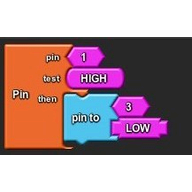
ArduBlock is a visual block-programming extension for creating Arduino sketches without writing code manually. It is aimed at beginners and educators, and...
Pros
- Generates Arduino code from visual blocks
- Works with the familiar Arduino IDE workflow
- Free and open source
Cons
- Less actively maintained than newer block editors
- Requires installing and configuring an Arduino IDE extension
- Fewer simulation and debugging features than Tinkercad Circuits

Visuino is a graphical development environment for Arduino and compatible microcontroller boards that assembles hardware logic from connected components. It targets makers...
Pros
- Handles complex hardware configurations more systematically than ArduBlock
- Supports many sensors, displays, communications modules, and boards
- Provides visual signal-flow design for advanced projects
Cons
- Paid licensing makes it less accessible than ArduBlock
- Steeper learning curve than beginner-focused block tools
- Proprietary workflow creates more vendor dependence
From $29.95

TurboWarp is a fast Scratch-compatible programming editor and player for students, hobbyists, and educators. It adds performance improvements, advanced extensions, compiler-based project...
Pros
- Runs complex Scratch projects substantially faster than the standard Scratch player
- Supports custom extensions, JavaScript integration, and desktop project packaging
- Imports Scratch projects without requiring a separate programming language
Cons
- Some TurboWarp extensions and behaviors are not fully compatible with Scratch
- Less beginner-focused community support than Scratch
- Advanced features can make projects harder to share back to standard Scratch
Tinkercad is a free, easy-to-use app for 3D design, electronics, and coding.
Pros
- User-friendly interface
- Great for beginners and educational purposes
Cons
- Not suitable for complex industrial designs
How good are these alternatives?
Your feedback helps us improve the AI rankings.
✅ Thanks for your feedback!
Know a better alternative? 🙌
Suggest a product and our AI will verify it's a real alternative to mBlock before adding it to the list.