YayText is a tool that allows users to format text with Unicode symbols, emojis, and other special characters to use on social...
Best Messletters Alternatives ranked by AI · updated Aug 2026
✅ Update queued — the AI is re-ranking this list. The page will refresh shortly.
This page is already up to date.
Messletters is a web-based collection of fancy text, symbols, emoticons, and decorative character tools. It is intended for creating stylized names, profiles, messages, and social-media content.
Top 6 Messletters alternatives

LingoJam is a text transformation platform that allows users to create their own translator and generate fun text transformations.

Fancy Text Pro is a browser-based Unicode text generator for people who want stylized usernames, bios, captions, and messages. It converts ordinary...
Pros
- Generates copyable Unicode styles directly in a browser
- Useful for social-media bios, usernames, captions, and messages
- Requires no account or desktop installation
Cons
- Unicode styles have less visual control than real font-based design tools
- Some characters may render inconsistently across platforms
- Limited editing and layout features compared with dedicated typography tools

Fancy Text Bro is a free web-based Unicode text generator for creating stylized text that can be copied into social media profiles,...
Pros
- Offers many copy-and-paste Unicode text styles
- Works in a browser without account creation or software installation
- Useful for social media bios, usernames, and messages
Cons
- Unicode styles can render inconsistently across apps and devices
- Does not create installable font files or editable typography
- Less customizable than LingoJam for building personal text converters
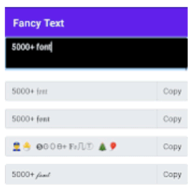
LatestFancyText is a free web-based fancy-text generator for social media users and content creators. It converts ordinary text into Unicode-styled lettering that...
Pros
- Generates copy-and-paste Unicode text in a browser
- Useful for social profiles, posts, usernames, and messages
- Requires no desktop installation or account
Cons
- Unicode styles may render inconsistently across platforms
- Provides less customization than full typography tools
- Limited evidence of advanced editing or export features

Clubhouse Bio Editor is a browser-based utility for creating stylized profile bios for the Clubhouse social-audio app. It provides Unicode fonts, symbols,...
Pros
- Targets Clubhouse bio formatting more directly than general text generators
- Offers copy-ready Unicode styles and symbols in one browser interface
- Requires no account or installation
Cons
- Limited to text-based bios rather than visual profile-page layouts
- Unicode styles can reduce readability and accessibility
- Less versatile than general-purpose fancy-text generators
How good are these alternatives?
Your feedback helps us improve the AI rankings.
✅ Thanks for your feedback!
Know a better alternative? 🙌
Suggest a product and our AI will verify it's a real alternative to Messletters before adding it to the list.