💡 Pick it for a more polished, actively maintained annotation overlay on Windows or macOS.
Epic Pen is a desktop annotation tool that allows you to draw, write, and highlight directly on your screen.
Free version available, Pro version for $29.99
✅ Update queued — the AI is re-ranking this list. The page will refresh shortly.
This page is already up to date.
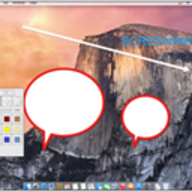
Screenink is a Windows screen-annotation utility for drawing over applications, presentations, and the desktop. It provides pen, shape, text, eraser, and screen-clearing tools for live demonstrations.
💡 Pick it for a more polished, actively maintained annotation overlay on Windows or macOS.
Epic Pen is a desktop annotation tool that allows you to draw, write, and highlight directly on your screen.
Free version available, Pro version for $29.99
💡 Pick it for a free, tiny Windows tool with zoom, timers, and fast keyboard-driven annotations.
ZoomIt is a screen zoom and annotation tool for technical presentations.
💡 Pick it if you use a Mac and need pointer highlighting plus annotations during video calls.
Presentify is a macOS presentation and screen-annotation tool for highlighting the pointer, drawing on screen, and emphasizing interface actions. It is aimed...
💡 Pick it for Windows presentations that also need keystrokes, cursor effects, and magnification.
PointerFocus is a handy Windows application designed for presenters, trainers, and teachers who want to highlight their mouse pointer during presentations.
💡 Pick it for a lightweight, open-source Windows replacement with configurable hotkeys.
gInk is a free and open-source, easy-to-use on-screen annotation software for Windows. It allows users to draw, write, highlight, and erase directly...
pubpub-zz
💡 Pick it for a free open-source Windows annotator with deeper customization and richer drawing tools.
ppInk is an open-source Windows screen-annotation tool based on the gInk project. It adds configurable pens, shapes, text, arrows, screenshots, and presentation...
Your feedback helps us improve the AI rankings.
✅ Thanks for your feedback!
Suggest a product and our AI will verify it's a real alternative to SwordSoft Screenink before adding it to the list.