
NumWorks is a modern graphing calculator designed for students and teachers. It features an intuitive user interface, Python programming capabilities, and a...
Best Texas Instruments TI-84 Plus CE Alternatives ranked by AI · updated May 2025
✅ Update queued — the AI is re-ranking this list. The page will refresh shortly.
This page is already up to date.
The TI-84 Plus CE is a popular graphing calculator with a color display, multiple graphing functions, and a large user base.
Price: $119
Top 6 Texas Instruments TI-84 Plus CE alternatives
2
CEmu TI 84+ CE Emulator
CEmu contributors
CEmu is an open-source emulator for the TI-84 Plus CE graphing calculator, aimed at students, teachers, developers, and calculator enthusiasts. It supports...
Pros
- Open-source and free unlike TI-SmartView
- Provides a close TI-84 Plus CE software environment
- Supports debugging and developer-oriented workflows
Cons
- Requires a legally obtained calculator ROM
- More technical to install than browser-based graphing calculators
- Less polished for classroom deployment than TI-SmartView

TI-84 Calculator Online is a browser-based emulator of the Texas Instruments TI-84 graphing calculator for students and educators. It provides familiar graphing,...
Pros
- Replicates the familiar TI-84 workflow used in many classrooms
- Runs in a browser without installing desktop software
- Useful for checking graphs, algebra, statistics, and calculator programs
Cons
- Less capable and polished than official TI emulator software
- Requires an internet connection for browser access
- Not accepted as a replacement for an approved calculator on every exam

TI-84 Calculator is a browser-based graphing calculator modeled on the Texas Instruments TI-84 interface. It is aimed at students and educators who...
Pros
- Runs directly in a web browser without installing software
- Familiar TI-84-style layout for students using that calculator family
- Covers common graphing, algebra, and statistics tasks
Cons
- Less capable than a physical TI-84 for exams and offline use
- Requires a browser and does not provide a physical keypad
- May not reproduce every TI-84 program, peripheral, or exam-approved feature
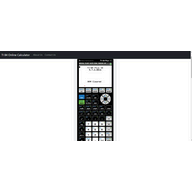
TI-84 Online Calculator is a browser-based emulation of a TI-84 graphing calculator for students and educators. It provides familiar graphing, statistical, algebraic,...
Pros
- Replicates the familiar TI-84 interface used in many classrooms
- Runs in a browser without installing desktop software
- Supports graphing, statistics, matrices, and standard calculator functions
Cons
- Less capable and polished than dedicated graphing platforms such as Desmos
- Browser emulation may not match the responsiveness of physical TI-84 hardware
- Does not provide the broader symbolic and 3D tools available in GeoGebra

TI-84 Calculator Online is a browser-based emulation of the Texas Instruments TI-84 graphing calculator for students and educators. It provides familiar graphing,...
Pros
- Runs in a browser without installing calculator software
- Familiar TI-84-style interface for students using the physical calculator
- Useful for basic graphing, calculations, and statistics
Cons
- Less capable and less authoritative than official TI emulator software
- Browser interface can be slower for extended calculator workflows
- May lack some advanced TI-84 features and classroom-management tools
How good are these alternatives?
Your feedback helps us improve the AI rankings.
✅ Thanks for your feedback!
Know a better alternative? 🙌
Suggest a product and our AI will verify it's a real alternative to Texas Instruments TI-84 Plus CE before adding it to the list.