
Carnac is a utility that allows you to display keystrokes on screen. It's useful for presentations, screencasts, and live demos.
Best KeyCast Alternatives ranked by AI · updated May 2025
✅ Update queued — the AI is re-ranking this list. The page will refresh shortly.
This page is already up to date.
KeyCast is a keystroke display utility similar to Carnac, with additional customization options.
Price: Free
Top 6 KeyCast alternatives

KeyCastr is an open-source keystroke visualizer that shows your keystrokes in an overlay on your screen. It is useful for presentations, screencasts,...
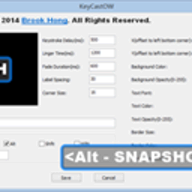
KeyCastOW is a keystroke visualizer for Windows, it shows your keystrokes in an overlay at the bottom of your screen.
4
Key-mon
Jasper Lievisse Adriaanse
Key-mon is an open-source keyboard and mouse visualizer for Linux. It displays pressed keys and mouse actions on screen, making it useful...
Pros
- Lightweight GTK interface with low resource usage
- Shows both keyboard and mouse activity
- Free and open source
Cons
- Linux-focused, unlike cross-platform alternatives
- Older interface and fewer customization options than newer tools
- Limited integration with streaming software
PxKeystrokesForScreencasts is a lightweight macOS utility that displays pressed keys as an on-screen overlay. It is intended for screencasters, tutorial authors, and...
Pros
- Minimal overlay focused specifically on visible keystrokes
- Free and lightweight compared with commercial presentation tools
- Well suited to screen recordings and software tutorials
Cons
- Limited to macOS and less actively maintained than newer alternatives
- Fewer styling and layout controls than Keyviz or NohBoard
- Requires more technical setup than polished commercial apps
Free, open source
6
ShowMeYourHotKeys
ShowMeYourHotKeys
ShowMeYourHotKeys is a keystroke visualizer for displaying keyboard shortcuts on screen during tutorials, presentations, and livestreams. It is designed for creators who...
Pros
- Designed specifically for visible shortcut demonstrations
- Less distracting than showing a physical keyboard on camera
- Useful for software tutorials and screencasts
Cons
- Smaller ecosystem than KeyCastr or Keyviz
- Platform support and integrations are more limited than cross-platform alternatives
- Pricing and feature details are not clearly published
How good are these alternatives?
Your feedback helps us improve the AI rankings.
✅ Thanks for your feedback!
Know a better alternative? 🙌
Suggest a product and our AI will verify it's a real alternative to KeyCast before adding it to the list.