Best Key-mon Alternatives ranked by AI · updated Aug 2026

Key-mon is an open-source keyboard and mouse visualizer for Linux. It displays pressed keys and mouse actions on screen, making it useful for tutorials, live demonstrations, and screencasts.

Developer: Jasper Lievisse Adriaanse Price: Free 🎯 code.google.com/archive/p/key-mon

Top 6 Key-mon alternatives

1

Keyviz

Rahul Mula

πŸ’‘ Pick it for a modern, customizable visualizer that works across Linux, Windows, and macOS.

Keyviz is an open-source keystroke and mouse visualizer for Windows, macOS, and Linux. It targets streamers, educators, and demonstrators with customizable overlays...

Pros

  • Supports Windows, macOS, and Linux while QiPress is Windows-only
  • Displays keyboard and mouse activity with modern animated overlays
  • Open-source code allows community review and customization

Cons

  • Has fewer mature configuration options than some Windows-focused tools
  • May require more setup than QiPress for a polished streaming layout
  • Some platform features can vary between operating systems

πŸ’‘ Pick it for a maintained Linux keyboard overlay with a simpler interface and strong screencast workflow.

Screenkey is a Linux tool that displays your keystrokes in an overlay. It offers various customization options and supports different Linux distributions.

Pros

  • Linux support
  • Customizable themes

Cons

  • Limited Windows/Mac support
  • Complex setup
3 Carnac logo

πŸ’‘ Pick it if you use Windows and want a lightweight, straightforward replacement for Key-mon.

Carnac is a utility that allows you to display keystrokes on screen. It's useful for presentations, screencasts, and live demos.

πŸ’‘ Pick it for a deeply customizable Windows overlay, especially for streaming or gaming demonstrations.

NohBoard is a keyboard visualization program that enables customization and display of keyboard inputs on screen.

Pros

  • Customizable keyboard layouts
  • Real-time key detection

Cons

  • Not designed for splitting keyboard inputs

πŸ’‘ Pick it on macOS when you mainly need a clean keyboard overlay for presentations or live coding.

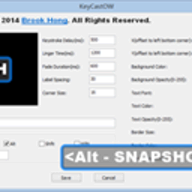
KeyCastr is an open-source keystroke visualizer that shows your keystrokes in an overlay on your screen. It is useful for presentations, screencasts,...

6

Input Overlay

univrsal

πŸ’‘ Pick it when you need keyboard, mouse, or controller input rendered directly in an OBS stream.

Input Overlay is an open-source OBS plugin that renders keyboard, mouse, and controller input as a stream overlay. It is aimed at...

Pros

  • Direct OBS integration is stronger than Key-mon's workflow
  • Supports keyboard, mouse, and game controllers
  • Useful for gaming and live broadcasts

Cons

  • Requires OBS rather than functioning as a standalone desktop utility
  • Setup is more involved than Key-mon
  • Primarily optimized for streaming overlays

How good are these alternatives?

Your feedback helps us improve the AI rankings.

βœ… Thanks for your feedback!

Know a better alternative? πŸ™Œ

Suggest a product and our AI will verify it's a real alternative to Key-mon before adding it to the list.

People also compare