Best QiPress Alternatives ranked by AI · updated Aug 2026

QiPress is a Windows utility that displays pressed keys and mouse buttons as an on-screen overlay. It is designed for streamers, presenters, trainers, and software demonstrators who need viewers to follow their input.

Developer: QiPress Price: Free for personal use; paid commercial license 🎯 qipress.com

Top 6 QiPress alternatives

1

Keyviz

Rahul Mula

πŸ’‘ Pick it if you need a modern, open-source visualizer that works across Windows, macOS, and Linux.

Keyviz is an open-source keystroke and mouse visualizer for Windows, macOS, and Linux. It targets streamers, educators, and demonstrators with customizable overlays...

Pros

  • Supports Windows, macOS, and Linux while QiPress is Windows-only
  • Displays keyboard and mouse activity with modern animated overlays
  • Open-source code allows community review and customization

Cons

  • Has fewer mature configuration options than some Windows-focused tools
  • May require more setup than QiPress for a polished streaming layout
  • Some platform features can vary between operating systems

πŸ’‘ Pick it if you want maximum customization and do not mind configuring a Windows-only open-source overlay.

NohBoard is a keyboard visualization program that enables customization and display of keyboard inputs on screen.

Pros

  • Customizable keyboard layouts
  • Real-time key detection

Cons

  • Not designed for splitting keyboard inputs

πŸ’‘ Pick it for a free, minimal Windows keystroke overlay with less configuration than QiPress.

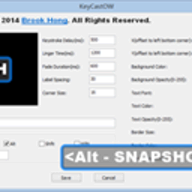
KeyCastOW is a keystroke visualizer for Windows, it shows your keystrokes in an overlay at the bottom of your screen.

πŸ’‘ Pick it if you use macOS and want a free, open-source alternative focused on visible keyboard input.

KeyCastr is an open-source keystroke visualizer that shows your keystrokes in an overlay on your screen. It is useful for presentations, screencasts,...

πŸ’‘ Pick it if you are on Linux and need a lightweight, native open-source key overlay.

Screenkey is a Linux tool that displays your keystrokes in an overlay. It offers various customization options and supports different Linux distributions.

Pros

  • Linux support
  • Customizable themes

Cons

  • Limited Windows/Mac support
  • Complex setup
6

Keystroke

iXea

πŸ’‘ Pick it if you want a polished macOS presentation overlay and prefer a supported paid app.

Keystroke is a macOS overlay utility that displays keyboard input during screen recordings, presentations, and live demonstrations. It is built for users...

Pros

  • Provides a more polished macOS presentation experience than basic open-source viewers
  • Designed specifically for recordings, live demos, and presentations
  • Offers configurable display behavior for different demonstration styles

Cons

  • macOS-only and not useful for Windows users of QiPress
  • Costs money where KeyCastr and Screenkey are free
  • Less customizable at the source-code level than open-source alternatives

How good are these alternatives?

Your feedback helps us improve the AI rankings.

βœ… Thanks for your feedback!

Know a better alternative? πŸ™Œ

Suggest a product and our AI will verify it's a real alternative to QiPress before adding it to the list.

People also compare